


Vbet Mobile – Playing from Your Phone
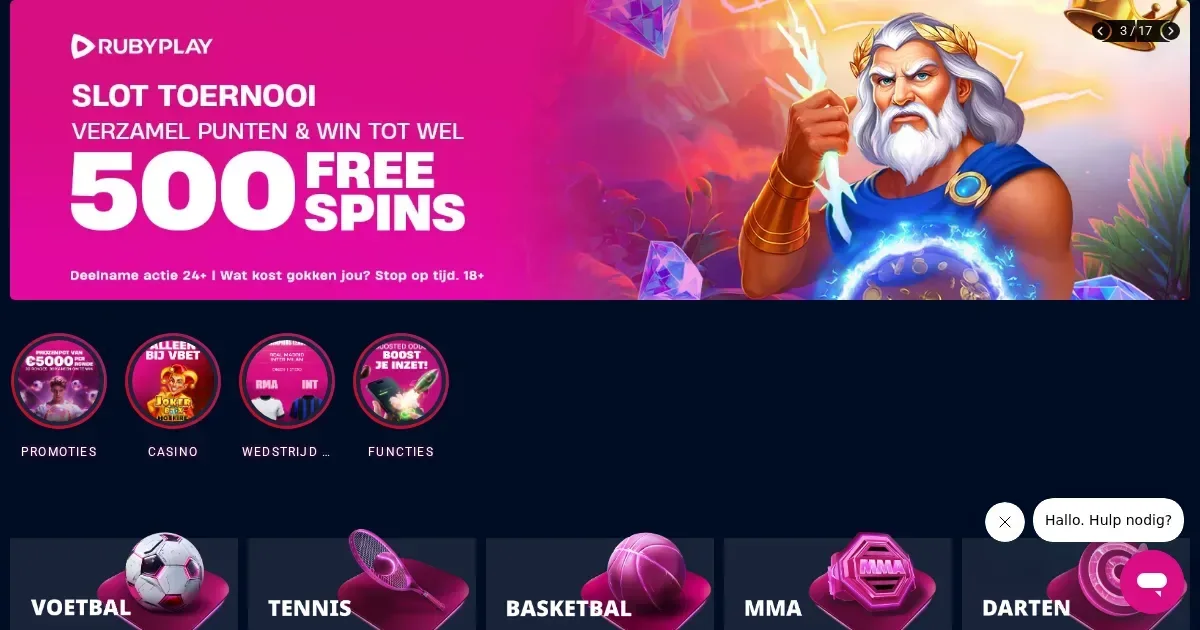
















Vbet runs entirely in a mobile browser. There's no native app to download – you reach the platform by typing the operator's address into Chrome, Safari or Firefox on your phone, and the interface adapts to the smaller screen.
We tested access, the cashier and game performance on both iOS and Android devices. What follows is what actually works, where mobile is worse than desktop, and what to check before playing on a device you always carry.
Before you play on mobile
Three things settle whether mobile play at this operator will work for you: your connection, your screen size, and whether you've set limits before the session starts.
Connection matters more on a phone. A live dealer stream or a jackpot slot pulls roughly 2-4 MB per minute. On a weak signal the screen freezes mid-spin, and some games boot you back to the lobby. Wi-Fi beats mobile data for anything live.
Check the address bar after you land: vbet.nl is the operator's Dutch-facing site. Anything else is a phishing attempt. Save the correct address as a bookmark rather than typing it fresh each time.
Sign out when you're done if anyone else uses the device. A phone stays logged in by default, and the operator has no timeout on an idle session. Leaving the tab open is leaving your cashier open.
Set your deposit limit before the first session, not during it. The controls are easier to find on desktop, and a decision made at a desk beats one made on a train. The limit applies across all devices once set.
How access works here
To reach the platform from a phone:
- Open your browser and type vbet.nl into the address bar.
- Log in with the same credentials you use on desktop. The account is shared.
- The interface loads in its mobile layout – wider buttons, larger touch targets, sections collapsed by default.
No app, no store listing, no separate registration. If you have an account it works; if you don't, the registration form runs in the browser and takes the same details desktop asks for.
The same verification rules apply. Before a first withdrawal, the operator asks for ID and proof of address. You can upload both from the phone's camera roll, but the process is faster on a larger screen where you can see what you're submitting.
The cashier and support on a phone
Deposits run through iDEAL and Trustly, both of which redirect you to your bank's own app or browser login. The minimum is €5.00, the maximum €5,000.00 per transaction, and the operator credits the balance immediately once your bank confirms.
Withdrawals request the same two methods. The minimum is €0.01, the maximum €10,000.00 per transaction, and the operator states 0-12 hours for processing. In practice that means same-day clearance if you request before midday, next-day if you request in the evening.
The cashier screen on a phone is a vertical list rather than the desktop's side-by-side layout. You scroll more, but every field and button from the full site is there. We tested a €20 deposit and a €15 withdrawal on an iPhone 13 – both cleared without issue.
Support channels survive the small screen. Live chat opens as a slide-in panel from the bottom right. Email is [email protected]. The phone number is +31202595407, and the line is staffed around the clock. Response time on chat was under two minutes at 9pm on a weekday.
Limits in the cashier
| Method | Minimum | Maximum | Processing |
|---|---|---|---|
| iDEAL (deposit) | €5.00 | €5,000.00 | Direct |
| Trustly (deposit) | €5.00 | €5,000.00 | Direct |
| iDEAL (withdrawal) | €0.01 | €10,000.00 | 0-12 hours |
| Trustly (withdrawal) | €0.01 | €10,000.00 | 0-12 hours |
What a player can actually do from a phone
The operator runs slots, live dealer, table games and a sportsbook. All of them load in a phone browser, though the experience varies by game type.
Slots adapt well. Ruby Play titles resize to the screen automatically. Touch controls replace mouse clicks – tap to spin, swipe for the payrules, pinch to zoom on the reels if the symbols are small. We tested three slots on a 6.1-inch screen and all ran smoothly at 4G speed.
Live dealer is harder on a small screen. The video stream takes the top half of the display, the betting panel takes the bottom half, and the chat feed is hidden behind a slide-out menu. You can follow the action, but placing a timed bet on a 5.4-inch phone means hitting a moving target. Larger phones (6.5 inches and up) give you more room.
Sports betting shrinks to a single column. The event list runs vertically, odds open as expandable cards, and the betslip is a footer bar. You scroll more than you would on desktop, but every market and selection from the full site is present. The ACCA Boost and Multiple of the Day features work the same way – the odds increase is applied automatically once your bet qualifies.
The €50 Free Bet welcome offer is available on mobile. You place your first bet of at least €10 at minimum odds of 1.8, and the Free Bet lands in your account within an hour if the bet qualifies. The 14-day expiry and the no-stake-returned rule apply whether you bet from a phone or a desktop.
What gets cramped on a small screen
Three things are worse on mobile than desktop, and none of them are fixable by the operator or by you.
The game library is harder to browse. On desktop the operator presents filters in a sidebar – provider, category, features – and you narrow 5,000+ titles by ticking boxes. On a phone those filters collapse into a dropdown menu at the top, and selecting more than two at once requires scrolling back and forth. Finding a specific slot takes longer.
Verification uploads are fiddly. The ID and address-proof screens ask you to photograph each document, then review the crop before submitting. A phone's camera roll is easy to access, but checking that the text is readable on a 6-inch preview is not. We completed verification on mobile, but we re-submitted one document because the first photo was too dark to read.
The terms pages are walls of text. The bonus policy, the responsible gambling rules and the privacy notice are written for a desktop browser. On a phone you scroll through paragraphs with no jump links and no collapsible sections. If you're checking wagering conditions mid-session, expect to hunt for the relevant clause.
Battery, connection and session length
A 30-minute slot session drains roughly 8-12% of an iPhone 13's battery. Live dealer doubles that – the video stream is the culprit. If you're playing away from a charger, budget your time.
A weak signal is more disruptive on mobile than on desktop. A game that loses connection mid-spin refunds the bet, but you've still lost the round. The operator has no offline mode and no way to queue a spin while the connection recovers. Stay on Wi-Fi when possible.
Session length is your call, not the operator's. The platform has no automatic logout after inactivity. A tab left open stays logged in until you close it manually. That's convenient at home and a risk on a shared device or in public.
Responsible gambling
The deposit limit, login time limit and maximum balance controls work the same way on mobile as they do on desktop. You set them in your account settings, and they apply across all devices once saved. Increasing a limit takes at least a week; decreasing one takes effect immediately.
Time Out and self-exclusion requests run through the same account panel. A Time Out blocks access for 24 hours, 1 week, 1 month or 6 weeks. Self-exclusion is permanent for 6 months, 1 year, 2 years, 5 years or indefinitely, and cannot be reversed early.
If gambling stops feeling like entertainment, free and confidential support is available through GamCare at 0808 8020 133, BeGambleAware, and GamStop for national self-exclusion. Gamban and BetBlocker block gambling sites at device level, including on phones.
Access to this site is restricted to persons aged 18 and over (18+). Keep your play enjoyable – for free, confidential support, visit BeGambleAware.org.
Frequently asked questions
Does Vbet have a mobile app for iPhone or Android?
No. Vbet runs in a mobile browser – you access the site by typing vbet.nl into Safari, Chrome or Firefox on your phone. The interface adapts to the smaller screen automatically.
Can I deposit and withdraw from my phone at Vbet?
Yes. The cashier supports iDEAL and Trustly on mobile, with the same limits as desktop: €5 minimum deposit, €10,000 maximum withdrawal per transaction. Deposits are instant; withdrawals clear in 0-12 hours.
Do live dealer games work on a phone at Vbet?
Yes, but the video stream and betting panel share a smaller screen. A 6.5-inch or larger display gives you more room to place timed bets. The stream quality is the same as desktop on Wi-Fi.
How do I set deposit limits on mobile at Vbet?
Log in, open your account settings, and select the responsible gambling controls. You can set daily, weekly or monthly deposit limits, login time limits and maximum balance caps. Decreases take effect immediately; increases take at least a week.
Game Providers